
WhatsApp booking automation for salons and barbers
Your customers already message you on WhatsApp to ask "how much?" and "are you free today?" while you're busy with a client. We automate the replies, the booking requests and the reminders, so no message goes unanswered and fewer customers forget their appointment.
- Instant replies
- Booking requests
- Fewer no-shows
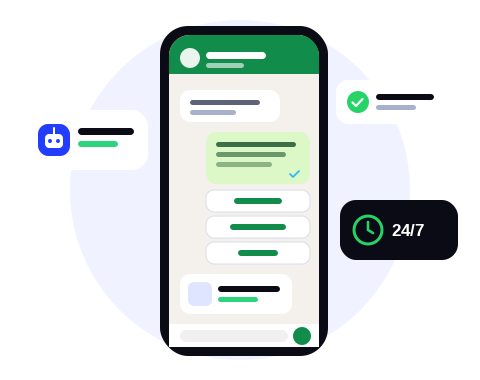
Your WhatsApp, working while you cut
The everyday messages every salon and barber gets, handled automatically.
Instant replies
Prices, opening hours and location sent straight away, even when you can't pick up your phone.
Booking requests
Customers pick a service and a time from simple menus, or get a link to your booking app, and you confirm.
Appointment reminders
A reminder the day before and on the day, with an easy way to reschedule, so fewer people forget.
Reschedule and cancel
Customers can move or cancel a booking by message, freeing the slot for someone else.
Review requests
A friendly message after the visit with a one-tap link to leave a Google review.
Offers to opted-in customers
Quiet-day offers and new services, sent only to customers who agreed to hear from you, as WhatsApp requires.
How a booking looks on WhatsApp
Customer asks
"Hi, how much is a cut and beard trim? Are you free this evening?"
Instant answer
Your price list and today's free times, with buttons to choose one.
Booked
The customer picks 7pm; you get the booking and the customer gets a confirmation.
Reminder
A reminder an hour before, and a review request after the visit.
The right setup for the size of your shop
Smaller shops can start with the free WhatsApp Business app: a greeting message, an away message, quick replies with your price list and a catalogue of services.
Busier salons with several staff or lots of messages need the WhatsApp Business Platform. It handles booking menus, automatic reminders, a shared team inbox and links to your booking system. Meta charges small usage-based message fees for it.
Works with what you use
- Your existing WhatsApp number, moved over carefully, or a new one
- Links to salon software such as Zenoti, or booking on WhatsApp
- A WhatsApp button on your website and Google profile
- Your staff can still jump in and reply by hand at any time
Get a free audit of your online presence
See how your business shows up on Google, Google Maps and AI search, how nearby competitors compare, and what we'd fix first. Free, with no obligation.
WhatsApp booking questions
Can I keep my current WhatsApp number?
Usually, yes. Moving a number to the WhatsApp Business Platform takes some care, as chat history doesn't always move with it, so we plan the switch with you first. Smaller shops can stay on the free app.
Will my customers know they're talking to an automation?
The automated replies are short and clear, and your staff can take over any chat at any time. Most customers simply appreciate getting an answer straight away.
Does it replace my booking app?
No. It works alongside it. WhatsApp handles the questions and booking requests, and can send customers to your salon software, such as Zenoti, to choose a slot.
What does WhatsApp itself charge?
The WhatsApp Business app is free. The WhatsApp Business Platform has small usage-based message fees from Meta, which depend on the type of message. We explain the likely cost in your proposal.
Can I send offers to all my customers?
Only to customers who agreed to receive them. WhatsApp's rules require opt-in for marketing messages, and breaking them can get your number restricted. We set up the opt-in for you.
Explore our other services
Ready to get your business online?
Tell us about your business and get a free website plan and fixed quote within 24 hours. No obligation, no jargon.